
What is ZoriCRM
ZoriCRM is a cloud-based CRM that helps businesses:
- store and organize client data
- manage deals across pipeline stages
- plan tasks, calls, and meetings
- track team activity and accountability
- create quotes and invoices
It brings sales, documents, and day-to-day team work together in one place.
What ZoriCRM is made of
Everything in ZoriCRM revolves around a few core building blocks.
Clients
You can create individual contacts and companies, store their contact details, business information, and full interaction history.
Leads
A lead is a potential client you haven’t started a full sales process with yet.
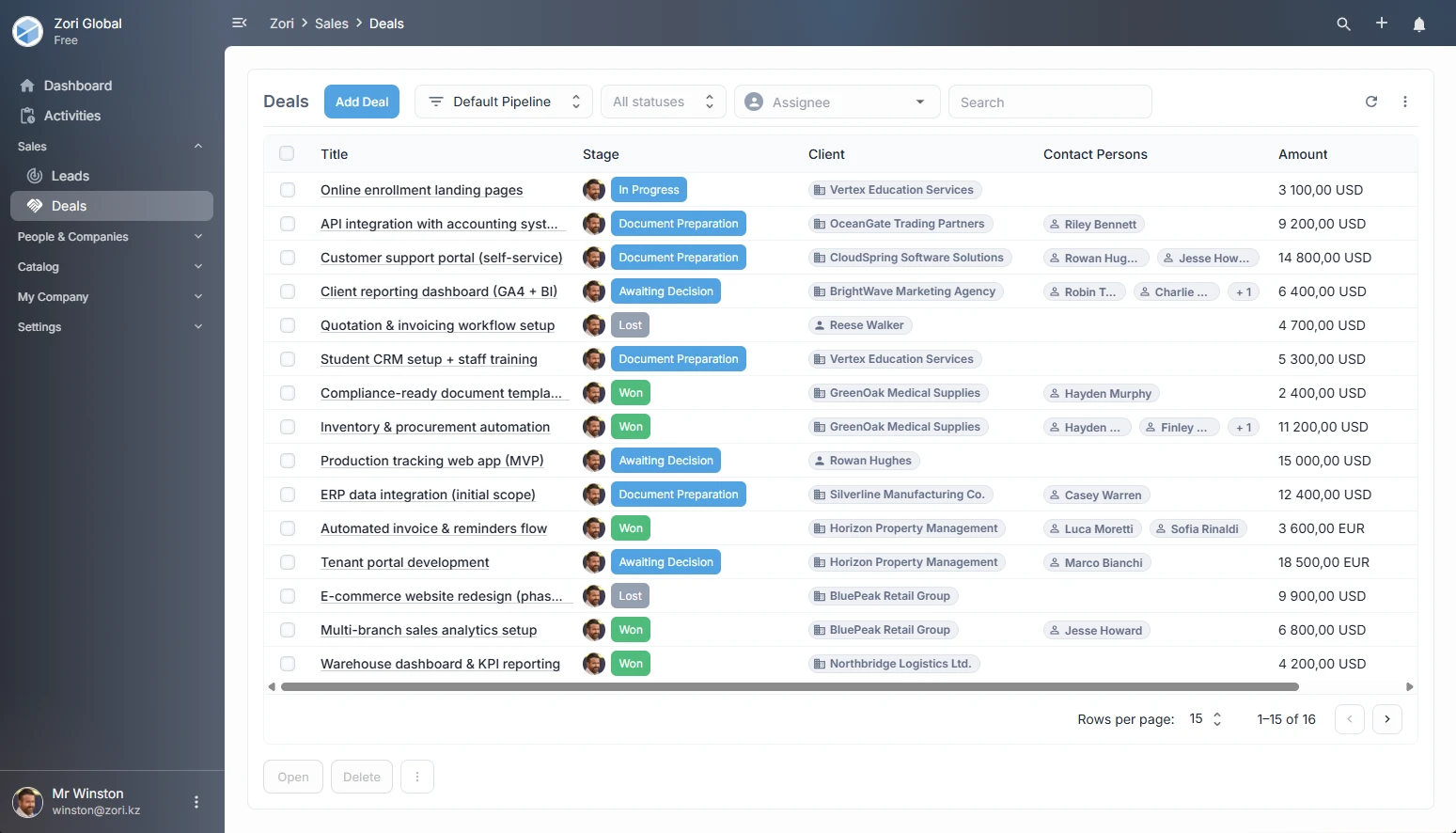
Deals
A deal represents a sales process - from the first contact to closing. Deals move through the stages of your sales pipeline.
Tasks, Calls & Meetings
You can create tasks, log calls, and schedule meetings. Every activity is linked to a client or deal and saved in the timeline.
Documents
ZoriCRM lets you create documents (such as invoices or quotes), use templates, and set up automatic numbering.
Company Settings
Each company has its own settings: country, currency, interface language, taxes, users, and access permissions.
How work is organized
A typical workflow looks like this:
- Create a lead or a client.
- Open a deal and set its current stage.
- Assign tasks, schedule calls and meetings.
- Move the deal through pipeline stages.
- Generate a document (such as an invoice or a quote).
- Close the deal.
All tasks, calls, and updates are saved in the timeline. This gives you a complete picture of every client relationship.
Company workspaces
A single account can manage multiple companies. Each company’s data is fully isolated from the others.
This is useful if you:
- run multiple businesses
- work as a consultant
- manage separate legal entities
Flexibility and customization
ZoriCRM lets you:
- add custom fields to clients and deals
- set field requirements per pipeline stage
- create custom document types
- manage team member access permissions