
About Forms and Widgets
Forms and widgets in ZoriCRM help you collect inquiries from your website and send them directly to your CRM for follow-up.
With them, you can add a contact form to your website, show it through a widget in the corner of the page, open it from a button on the site, or display it automatically after a delay. When a visitor submits a form, a lead is always created in ZoriCRM.
Why forms and widgets matter
Forms and widgets solve a simple but important task: they give website visitors an easy way to contact you, and help your team avoid losing incoming inquiries.
A typical flow looks like this:
- You create a form in ZoriCRM.
- You add it to an embed for your website.
- You install the embed code on your site.
- A visitor opens the form and submits an inquiry.
- A lead is automatically created in the CRM.
This lets you handle website inquiries in one place instead of collecting them manually from email, messengers, or your website team.
What a form is
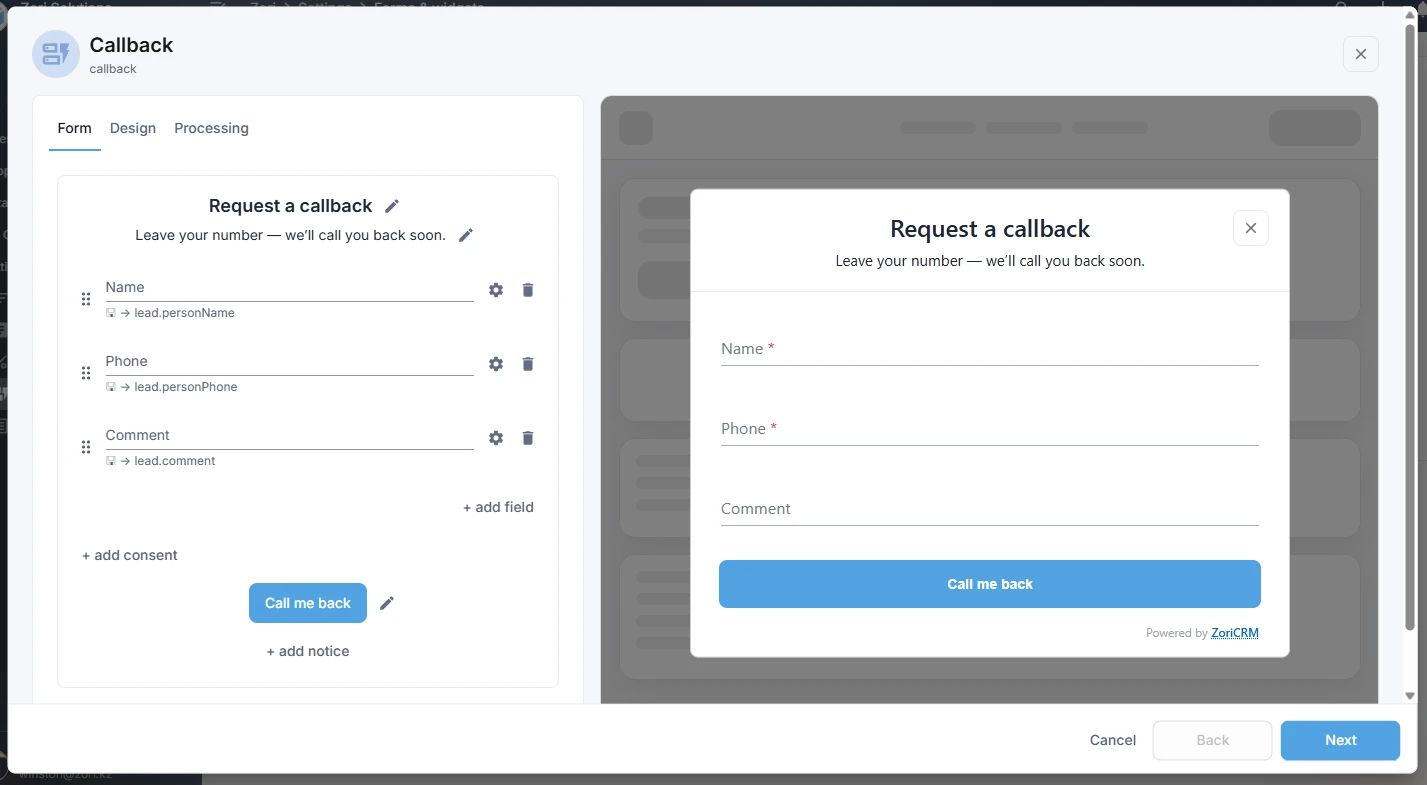
A form is the popup window with fields that a visitor fills in and submits on your website.
In a form, you can configure:
- the title and text;
- the set of fields;
- the appearance;
- the accent color;
- the field style;
- additional elements such as a consent checkbox or a legal notice;
- the text shown after successful submission.
At the moment, forms in ZoriCRM are displayed on the website as popups.
After a successful submission, the form is replaced with a thank-you screen. Its text can also be customized.
What a widget is
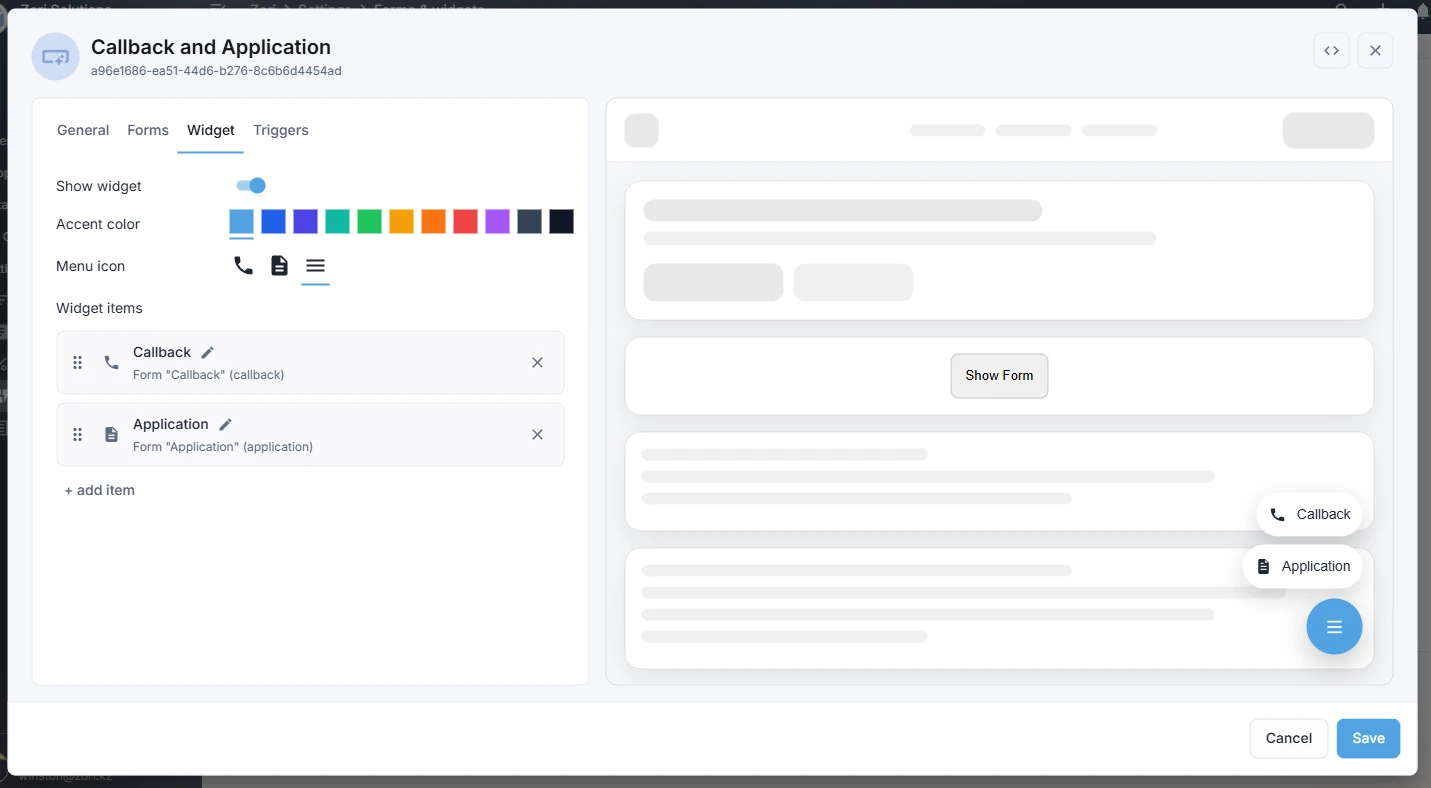
A widget is the button shown on the website, usually in the bottom-right corner of the page.
When a visitor clicks the widget, they can open a form. If multiple forms are connected to the widget, it first shows a small menu with available forms, then opens the selected one.
A widget is useful when you want the form to stay available on the website at all times, without interrupting the visitor until they choose to open it.
How forms can be shown on the website
In ZoriCRM, a form can be shown in several ways.
Through a widget
This is the main scenario. A widget appears on the website, and the visitor opens the form by clicking it.
By clicking your own website element
You can connect a form to your own button or any HTML element on the website. For example, a “Request a demo” or “Contact us” button.
By timer
A form can open automatically after a set number of seconds once the page has loaded. This is useful when you want to draw attention to the form without waiting for the visitor to click first.
For timer-based display, you can also control:
- how often the form can be shown to the same visitor;
- whether it should stop showing after submission;
- which pages it can appear on.
What embedding is
In ZoriCRM, a form is not published to the website by itself. To place it on a website, you use an embed.
An embed connects your website to one or more forms and controls how they work on the site. At the embed level, you can configure:
- allowed website addresses;
- the lead source;
- the forms included in the embed;
- the widget;
- automatic display by timer.
In other words, the form defines the content and appearance of the popup, while the embed defines where and how that form is used on the website.
What happens after a form is submitted
When a visitor submits a form on the website, a lead is created in ZoriCRM.
For each form, you can define how the responsible user is assigned. For example:
- assign nobody;
- assign in rotation among all employees;
- assign in rotation among selected employees.
You can also define the lead source at the embed level, so it is clear in the CRM where the inquiry came from.
This helps your team start working with new inquiries right away, without manual processing.
Security and restrictions
Forms and widgets in ZoriCRM include built-in protection against unwanted submissions and unauthorized use on other websites.
The system supports allowed website addresses for embeds and includes anti-spam protection. More detailed settings and checks are covered in other documentation articles.
When to use forms and widgets
Forms and widgets are useful if you want to:
- collect inquiries from your website directly into the CRM;
- avoid losing incoming requests;
- distribute new leads to employees faster;
- launch website lead capture without building a custom integration;
- use one or several ways to show a form on the website.