

Documents in ZoriCRM
ZoriCRM allows you to work with documents as a natural part of the client workflow.
Documents are created based on CRM data, linked to clients and deals, and remain part of the overall working context.
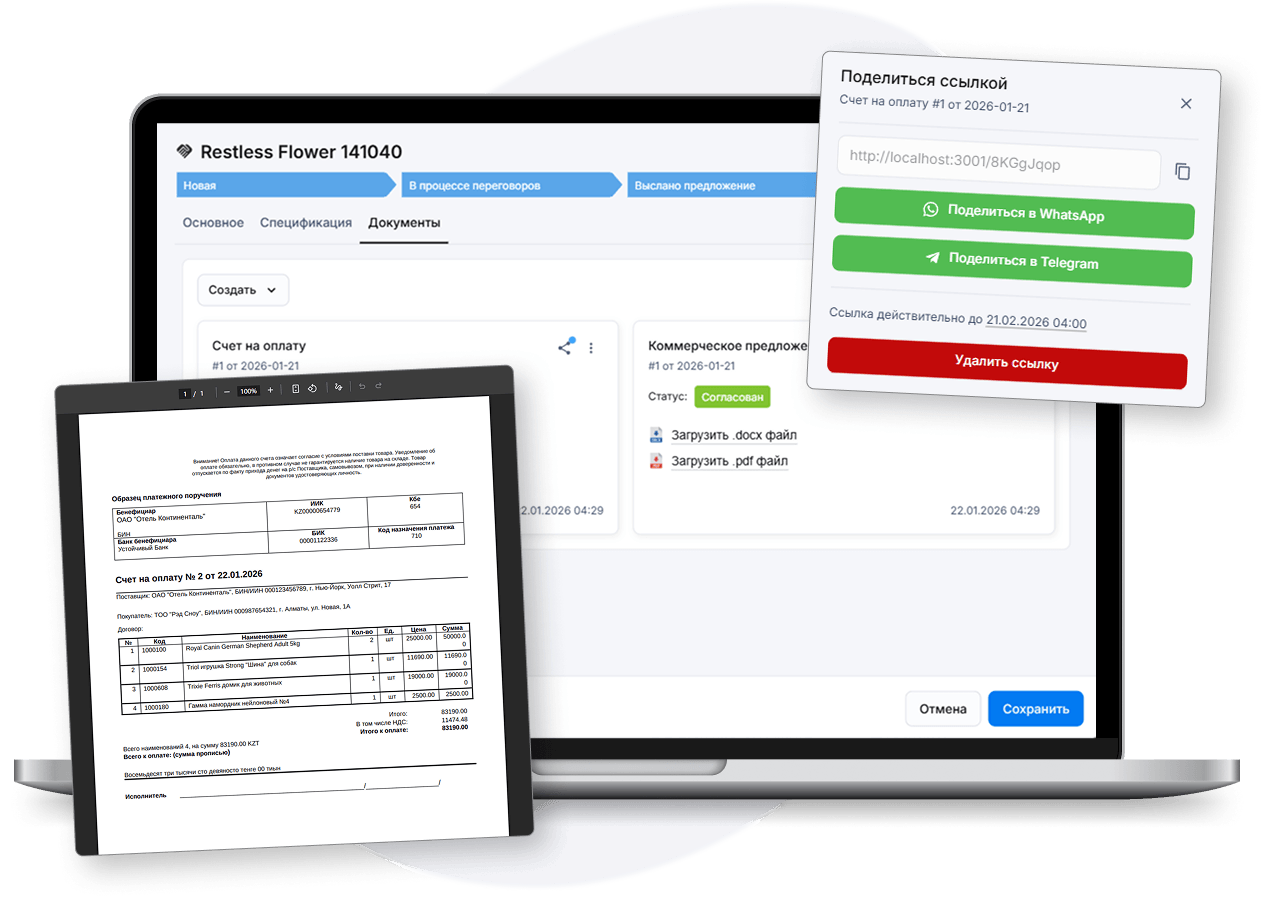
Document types
In ZoriCRM, documents are organized by types. Each document type defines its structure, template, and the set of available variables.
This approach allows documents to be used both for standard scenarios and for business-specific processes.
ZoriCRM includes standard document types:
- - commercial proposal
- - invoice
They are available immediately after creating a company.
Document templates
Each document type uses a template that defines the layout and structure of the document.
Templates can be customized and may include variables that are automatically populated from CRM entities.
Variables and CRM data
Documents in ZoriCRM are generated using up-to-date data from the system.
Templates can reference variables from clients, companies, deals, and users, ensuring consistency and reducing manual data entry.
Custom document types
In addition to standard types, users can create custom document types.
This makes it possible to adapt ZoriCRM to internal company workflows without being limited to predefined scenarios.
Sharing documents with clients
Generated documents can be published via a link and shared with clients for viewing.
This simplifies document delivery and allows ZoriCRM to serve as a single source of truth for document versions.
Documents linked to clients and deals
Documents in ZoriCRM are always linked to specific clients and deals.
This makes it possible to:
- view document history per client
- track documents within a deal
- work with documents in the context of sales
Getting started with documents
To start working with documents in ZoriCRM:
1. Create a company and add clients
2. Set up deals and pipelines
3. Use standard or create custom document types
4. Create, send, or publish documents for clients
Learn how to get started with ZoriCRM →